Real percussion notation · in the browser
Nail the gig.
ChartBlazer:Drums turns a song into a one-page chart with sections, bars, energy, cues, and notated grooves. Play it back on real drum samples, add handwritten markup, and run your setlist from a tablet on stage, with or without wifi.
You can also clone any public chart from the community and edit your own copy.
The pictures are the real editor. The sample chart is fully editable and playable, no signup, nothing saves.
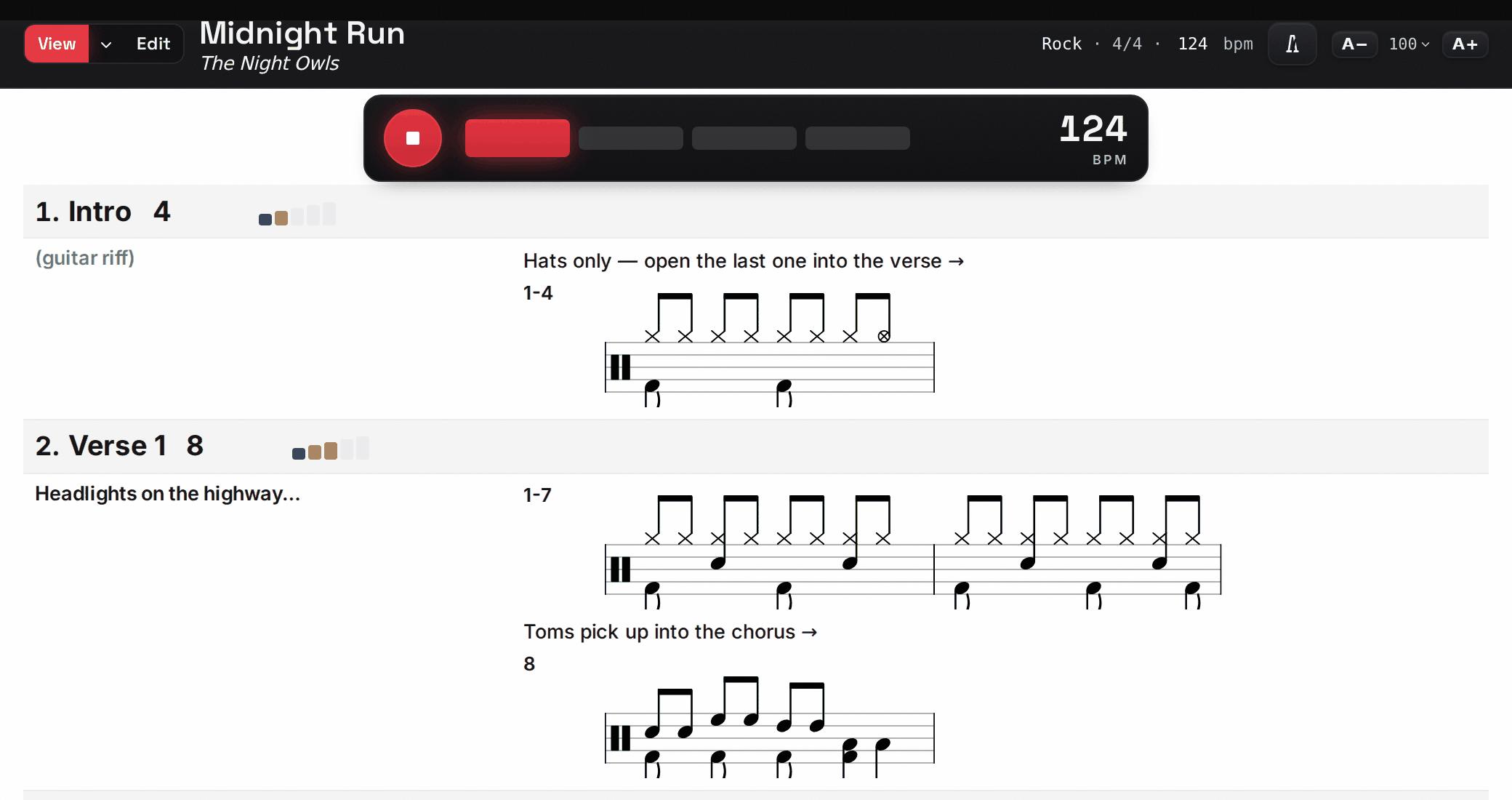
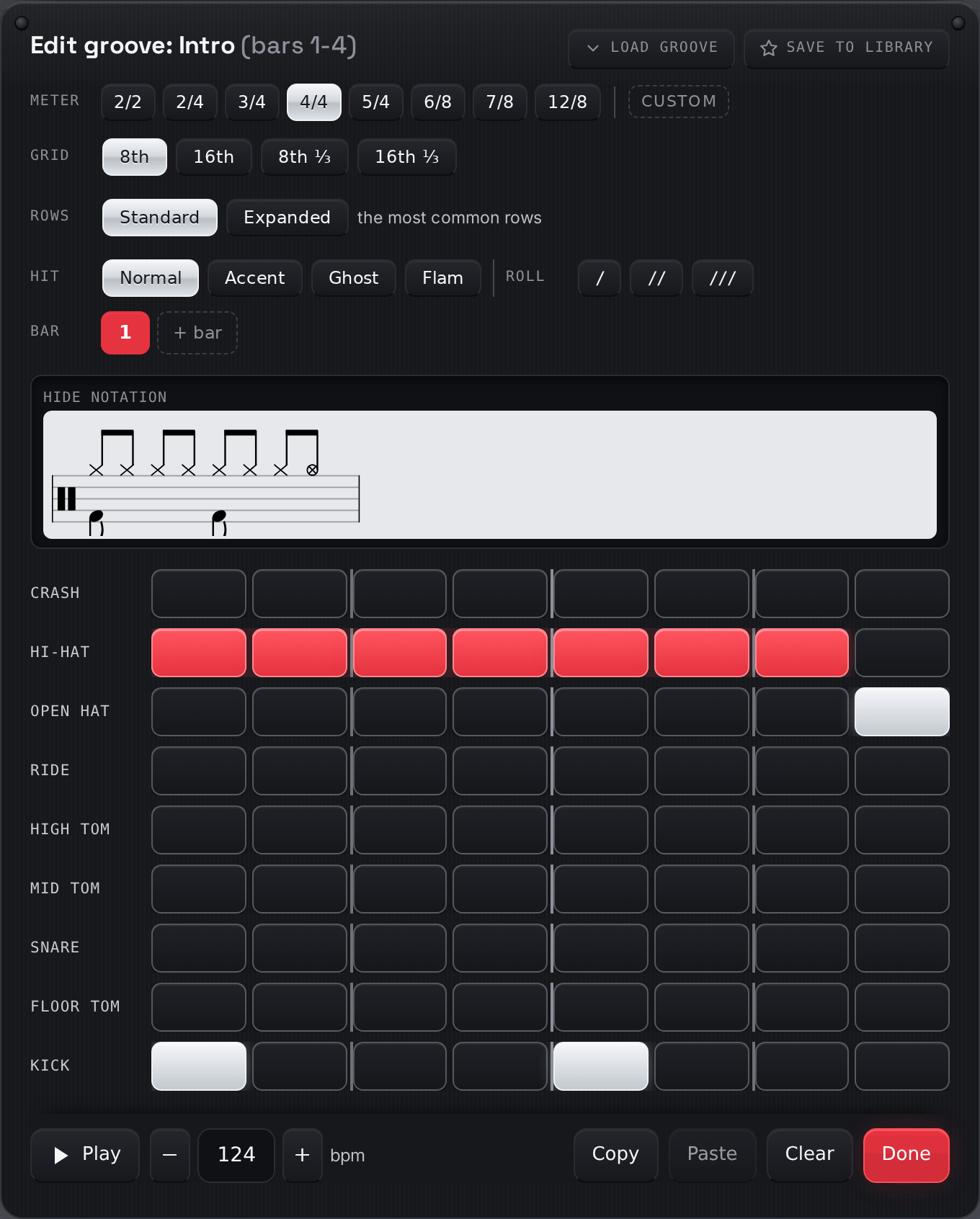

Edit like a drum machine.
Read real notation.
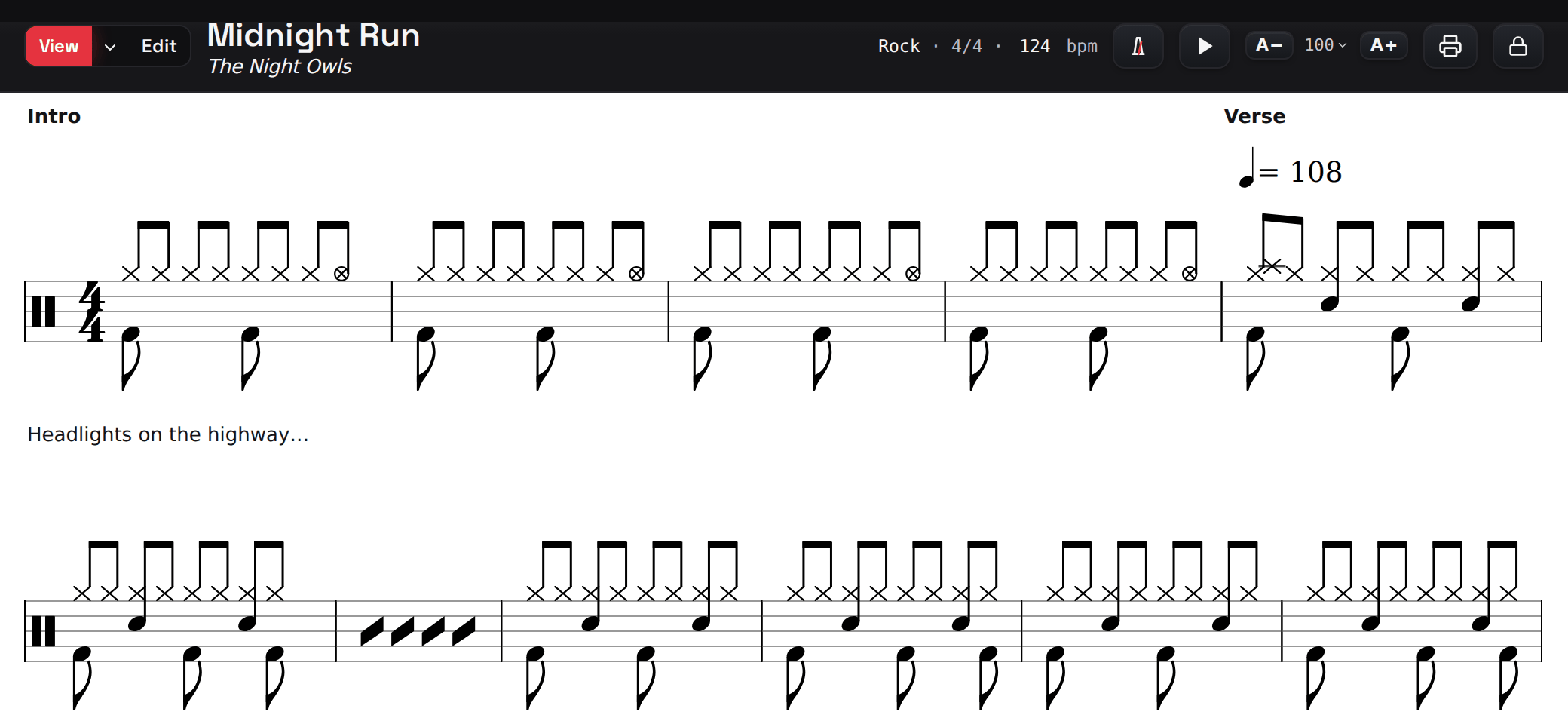
Tap big steps on a grid instead of dragging noteheads on a touchscreen, and ChartBlazer writes the notation as you enter it. A groove can run any number of bars, and repeats are written as the standard one-bar repeat sign.
Any groove plays back with real drum samples in the chart. Save patterns you use often to your groove library and reuse them in later songs.
Markup · stylus first
Mark it up like paper.
Draw pen, highlighter, and sticky-note markup on the chart, with pressure sensitivity for a stylus and finger input on a stand. Mark cues, fills, and notes from the MD. Your markup stays attached to the right spot through edits and appears on your tablet, in View mode, and on the gig stage.

Charting today
- A handwritten page that a coffee spill can ruin, and that only exists on one music stand.
- An engraving app where you can spend two hours placing noteheads before you've played a note.
- A folder of exports that drift out of date the moment the arrangement changes.
The ChartBlazer way
- A whole chart in minutes, with sections, bars, feel, and the groove notated for you.
- Available on every device you own, with your own markup, and backed up.
- One chart you can edit, print, and play back before the gig.
Song-form first
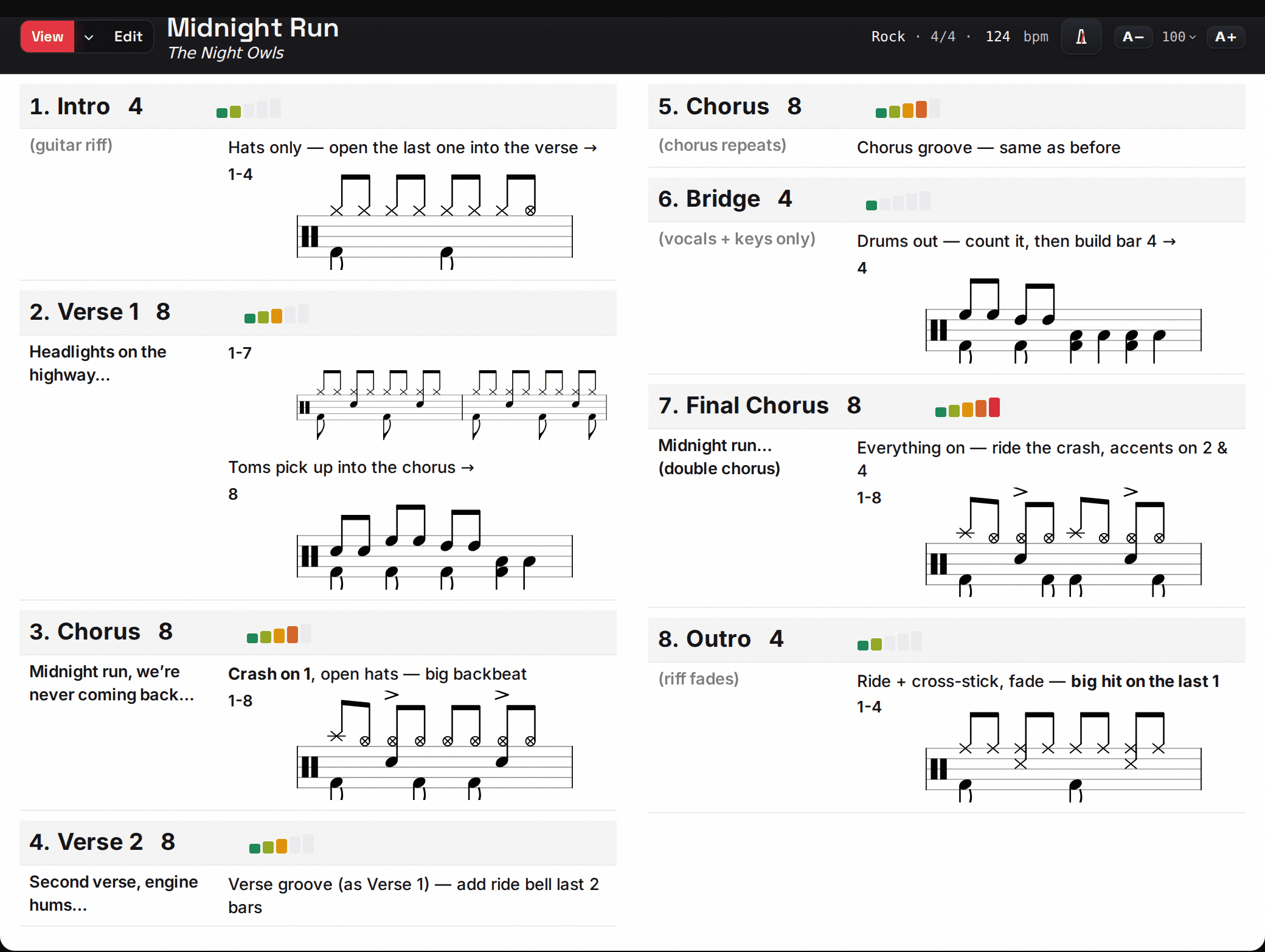
A row per section (Intro, Verse, Chorus) with bars, an energy level, and a lyric cue. The way drummers chart.
Built for fingers & sticks
Big tap targets, inline editing, stylus markup with pressure. Made for the tablet on your snare-side music stand.
Hear the real kit
Acoustic drum samples, accent and ghost note dynamics, and a built-in metronome. Play any groove in the chart, then mark it up by hand.
Layout · one-page flow
One page,
on purpose.
A chart reads top to bottom, one section per line, the way the song plays. Each section takes the space it needs. A busy verse takes another line without moving anything else on the page. If the chart runs long, switch to a two-column layout to keep the whole song on one page or screen with no scrolling or page turns mid-chorus.
A− and A+ scale the whole chart, each section has its own size control, and you can drag the column balance between cues and notation. Printing keeps the two-column layout, re-laid out to fill the page.
Chart types · a format choice
Prefer every bar on a staff?
A flow chart writes the whole song out bar by bar, wrapping across the page like sheet music, instead of one row per section. It uses the same step grid, markup, and groove library as a section chart. It is a different format for the same song. Pick whichever is easier for you to read while playing.
AI & audio · a starting chart
Name the song.
Or play it.
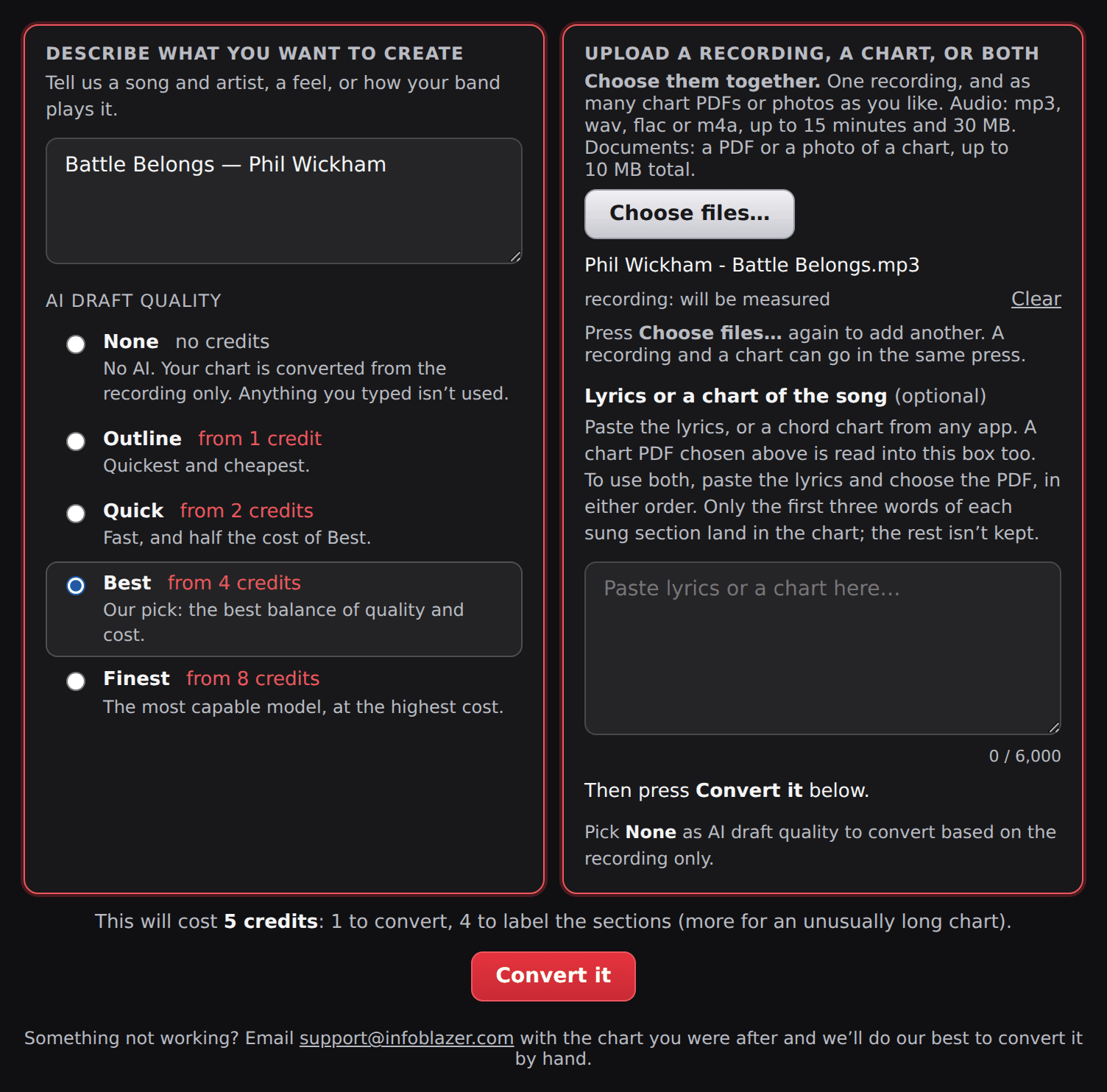
Type a song and AI drafts a starting chart with the form, tempo, and cues, ready to fine-tune in the editor. Upload a recording and ChartBlazer measures the tempo, sections, and bar counts, with AI labeling the sections it measured. Or bring a chart from another app: upload the PDF and it comes back as a chart, with the sections, directions, and cues read from your sheet and a groove drafted for you to check. This is a Pro feature. Your 30-day trial includes credits to try all three.
Gig Blazer · Setlists
Your whole set,
in the pocket.
Group charts into a gig: a named, ordered setlist. Pull it up on a tablet and page through song by song with a big tap or a swipe, screen kept awake all night. Print the entire set to one PDF, and it all works with no wifi.
See how it works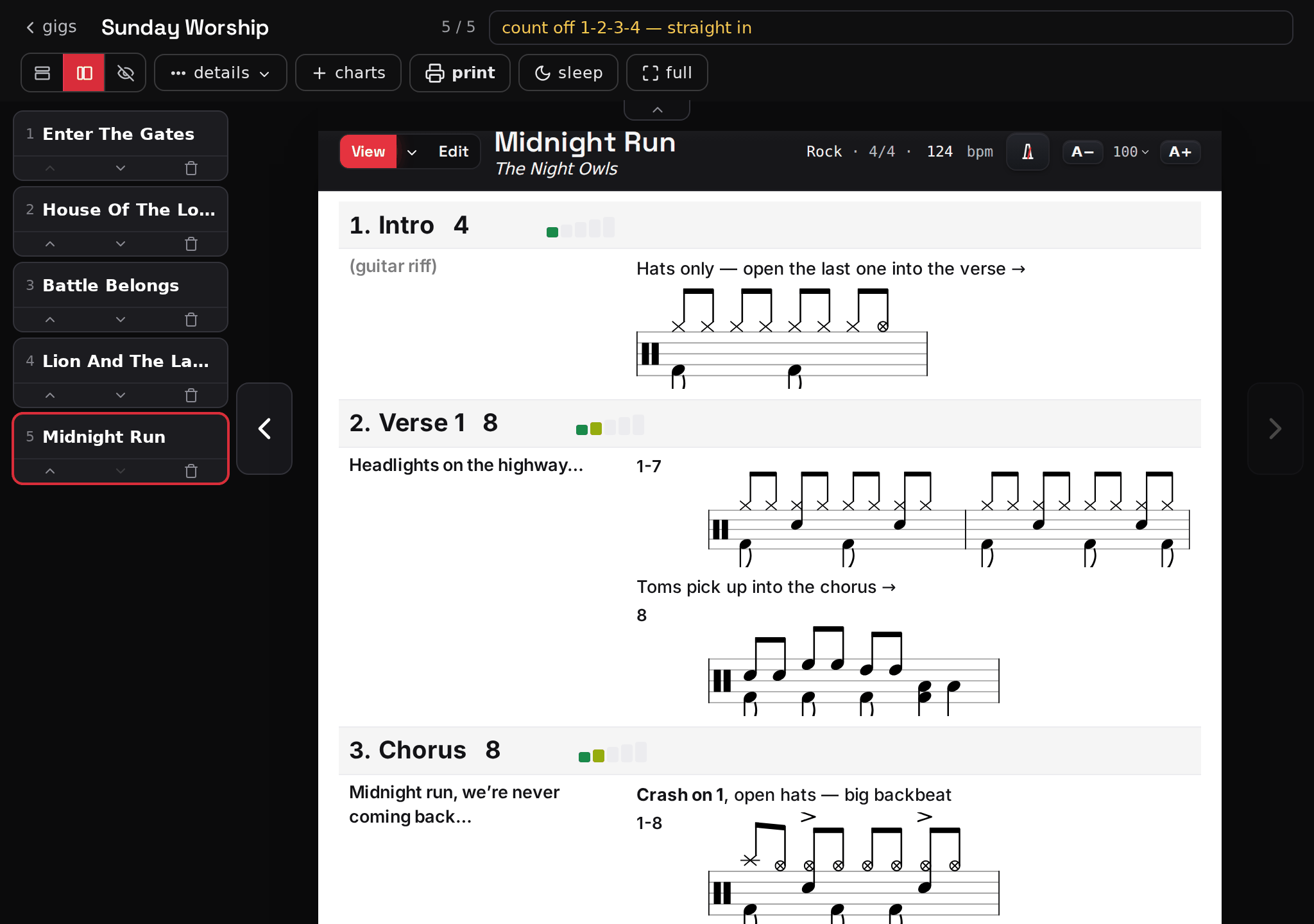
Community · share & clone
Somebody already charted it.
Clone it and make it yours.
Browse the community, play a chart before rehearsal, then clone it to get your own editable copy, while the original stays with its owner. Your own charts work the same way. Share one privately with the band by @handle, or publish it for everyone to read, play, and clone. Comments let others suggest improvements, and you keep control of your chart.